


SMART SKETCH™ Tab Duo Pro
SMART SKETCH™ Tab Duo Pro
Replaces a smart notebook ($200) AND a professional drawing tablet ($500). Save over $550 with the Tab Duo Pro.
✨ Instant Sync (Paper ➔ Smartphone)
🔄 Revolutionary Duo Mode: A sketchbook by day, a professional drawing tablet by night
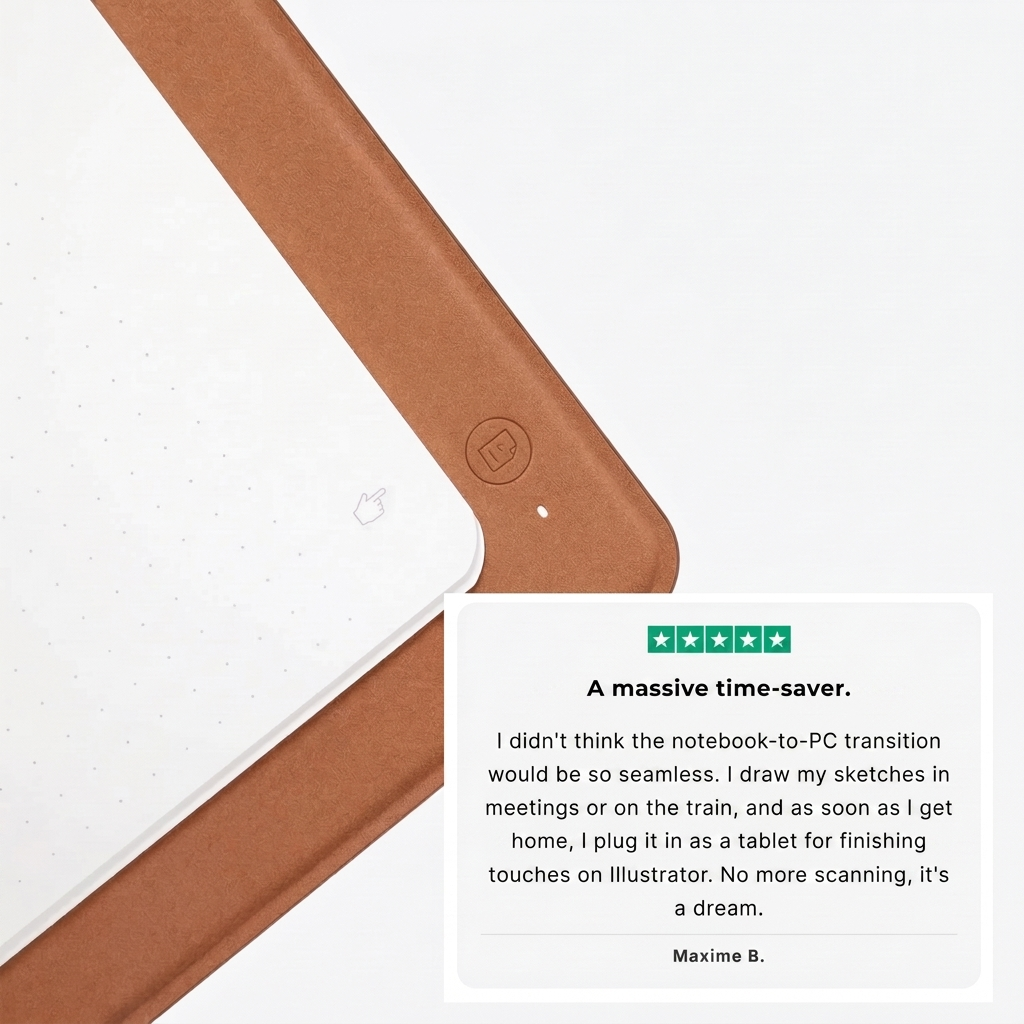
💻 Plug & Play for PC/Mac: Connect it, flip it over, and draw directly in Photoshop or Illustrator
✍️ Real Paper Feel: Keep the feel of paper while creating high-precision digital content.
More quantity, better price
⚡ Save $150 on your setup today. The price will go back to $299.99 once the current stock runs out.
Couldn't load pickup availability
-
Order
- - -
Shipping
- - -
Delivery
Guaranteed delivery date when you order within the next 2 hours!

I’ve been drawing for years and have tested plenty of tablets. But this one… feels different. I was skeptical at first, but the paper-like feel, the simplicity of the app, and especially the fact that I can instantly turn the notebook into a tablet while making everything I draw fully usable in digital format — it’s insane.
Is it compatible with my software?
Is it compatible with my software?
Yes. In Duo Mode, it’s recognized as a standard drawing tablet and works with Photoshop, Illustrator, Procreate, and all major drawing software on PC/Mac.
What type of paper should I use?
What type of paper should I use?
That’s the magic of it: you can use any standard A5 paper or notebook. The high-precision sensor digitizes your strokes through the pages.
Is there any delay between the paper and the screen?
Is there any delay between the paper and the screen?
Zero latency. Syncing is instant thanks to the built-in SmartSketch™ chip, whether you’re using your smartphone or your computer.

SMART SKETCH™ Tab Duo Pro




Join the SMART SKETCH movement.
-

Digital & Manga Illustrator
-

Architecture Student
-

Motion Designer Freelance
-

Content Creator & Bullet Journal Artist
-

Comic Book Drawing Enthusiast


Finish your paper sketches directly on your computer
Stop choosing between the feel of paper and the power of digital. With Duo Mode, your SmartSketch turns into a high-performance drawing tablet in one simple move. Connect it to your PC or Mac, flip it over, and continue creating in Photoshop, Illustrator, or Procreate with professional-level precision.
50%
Instant Switch: Go from travel sketchbook to studio tablet in 2 seconds. 50% notebook, 50% tablet.
100%
Full Compatibility: Recognized as a pro tablet by 100% of your creative software.
97%
Pressure Sensitivity: 97% of our customers are satisfied with the precision and sensitivity of our pen. Stay in full control of every stroke with zero-latency vector precision.
Vector Ink: The precision of paper, the power of 4K.
Every stroke you draw is captured with over 8,192 levels of pressure. Thanks to our Vector Ink technology, your drawings aren’t just simple images — they’re flawless mathematical paths. Zoom in endlessly on your smartphone or PC without ever seeing a single pixel. It’s the ideal tool for illustration, lettering, and industrial design.
- 🎯 Surgical Precision: A high-frequency sensor that follows your hand down to the millimeter.
- 🔍 Lossless Zoom: Export your creations in SVG or high-resolution PDF for large-format printing.
- 🖊️ Battery-Free Pen: Electromagnetic induction technology so you never run out of power mid-inspiration.
Your reviews mean a lot to us.
Excellent 4.8 / 5
Say goodbye to an outdated workflow
❌ Without SMART SKETCH Tab Duo Pro: Having to scan, clean up your lines in Photoshop, and lose the texture of paper.
✅ With SMART SKETCH Tab Duo Pro: Draw, connect, and keep creating. Digital has never felt this natural.


Why choose the SmartSketch™ Tab Duo Pro?
The SmartSketch™ replaces two expensive devices for a fraction of the price. It’s the complete setup for mobile creatives, with zero compromise on precision.
The math is simple:
- Professional Drawing Tablet: $450 to $2,000
- Standard smart notebook without Duo Mode: $200
- Classic notebook: $15, with no digitization
Your SmartSketch™ Tab Duo Pro: only $149.99.
| SmartSketch Tab Duo Pro | Professional Drawing Tablet | Classic Notebook | |
|---|---|---|---|
| Real Paper Feel | |||
| PC/Mac Tablet Mode | |||
| Smartphone Sync | |||
| Vector Ink (HD) | |||
| Price (-150$) |
F.A.Q.
Frequently Asked Questions
Does it really replace a drawing tablet?
Does it really replace a drawing tablet?
Yes. In Duo Mode, Smart Sketch is instantly recognized by Photoshop, Illustrator, and Procreate as a professional drawing tablet. Zero setup. Just plug it in and start drawing.
Is it as precise as a real drawing tablet?
Is it as precise as a real drawing tablet?
8,192 pressure levels, zero latency, vector ink. The precision matches a $400 pro tablet. The only difference is the price.
Does the pen need batteries or charging?
Does the pen need batteries or charging?
No, the pen uses electromagnetic induction technology. It requires no batteries and no charging. You’ll never run out of power in the middle of creating.
Can I use any type of paper?
Can I use any type of paper?
Yes! Unlike other notebooks, you can place any sheet of paper or standard notebook on the surface — A5 size is recommended. The high-precision sensor will digitize your strokes through the pages.
Which software is compatible with Duo Mode?
Which software is compatible with Duo Mode?
Once connected to your computer, it’s recognized as a standard drawing tablet. It works seamlessly with Photoshop, Illustrator, Lightroom, InDesign, Affinity, and even note-taking apps like OneNote.
How does smartphone syncing work?
How does smartphone syncing work?
Download our free app for iOS & Android. Your drawings are transferred in real time via Bluetooth. You can then export them in one click as JPG, PDF, or SVG vector files.
What exactly is included in the package?
What exactly is included in the package?
Each box includes: 1x SmartSketch™ Tab Duo Pro, 1x battery-free precision pen, 5x replacement nibs, 1x PC/Mac connection cable, and a French user manual.